
Ignacio De la Cruz
Head of Innovation
I am bringing back a post about BCF from a couple of years ago, published on buildingSMART, at this link.
[On the phone, between two offices with a BIM project under way]
- Technician 1: «In the suspended ceiling of the first-floor corridor, between rooms 130 and 136, there, can you see it?»
- Technician 2: «Hmm, no, I'm not sure which one you mean…»
- Technician 1: «Hang on, I'll check the ID and tell you. No, I don't have the ID, I've got the GUID, here you go, write this down. Twenty-three, p for Pamplona, lower case!, g for Granada, upper case!… Actually, you'd better get on Skype and I'll send it to you, or… better still! Have you got WhatsApp on your computer?»
What is a BCF?
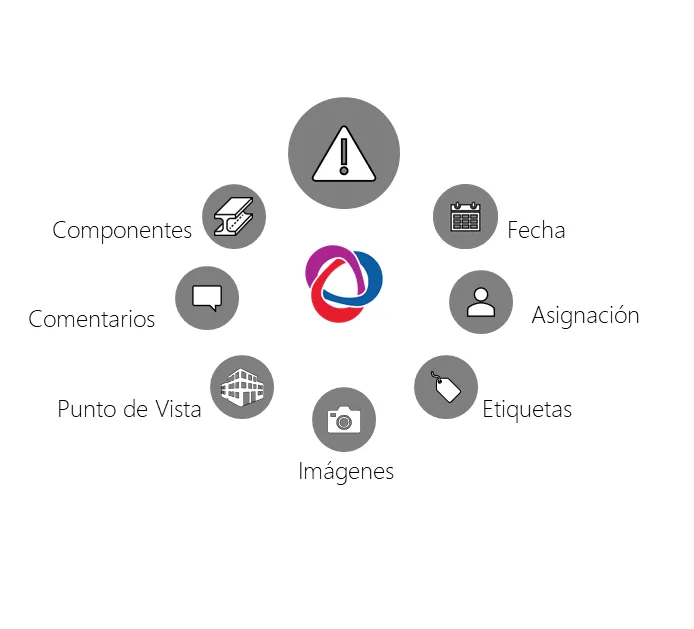
A BCF file is a file of comments on a project that records the history of interactions between parties and makes it possible to manage the back-and-forth of information, requirements, clashes and so on. Party A spots a problem in the model and raises a comment or issue (the why, and even how to solve it), linking the affected elements (the what). This comment has a creation date (when), an author (who) and is addressed to party B (to whom). It is linked to the project viewpoint chosen by the comment's author (where), along with images captured as if they were snapshots. Party B, assigned to solve the problem, opens the BCF from their usual modelling or coordination software, which takes them straight to the viewpoint defined by party A, selecting the affected components and showing the comments on the conflict. Once the issue has been resolved, they mark it in the BCF, leaving a record of the comment that any party can consult.
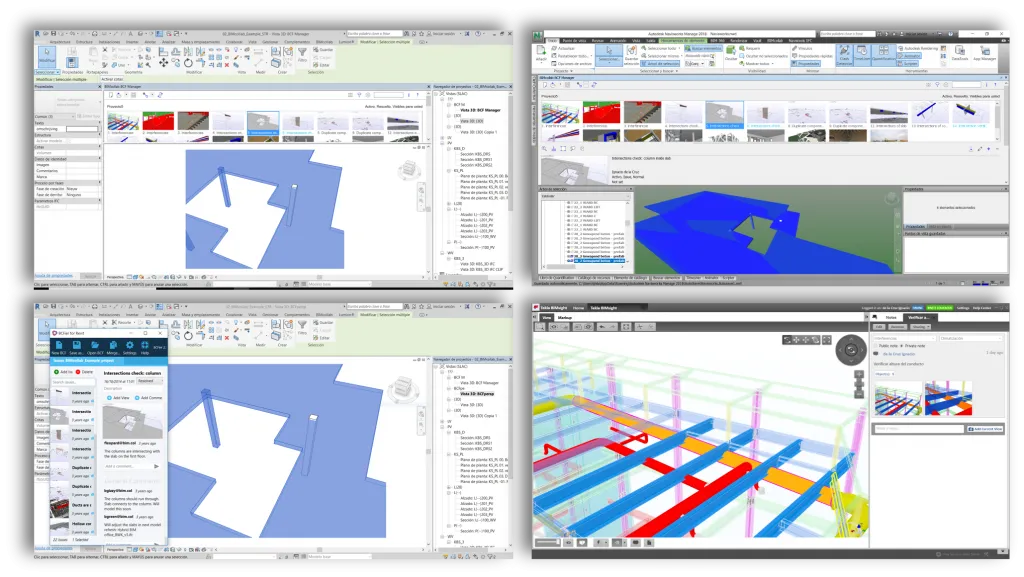
One important point: it contains data linked to a model, not models. This keeps the files small and means we can work with BCFs whether or not we have the project model or models. We can open BCF files in software and platforms that do not hold the models and manage issues, add comments and monitor assignments from there.
And how is a BCF created?
There are various software packages for creating and managing BCFs:
- Tekla BIMsight and Solibri can open and create BCFs.
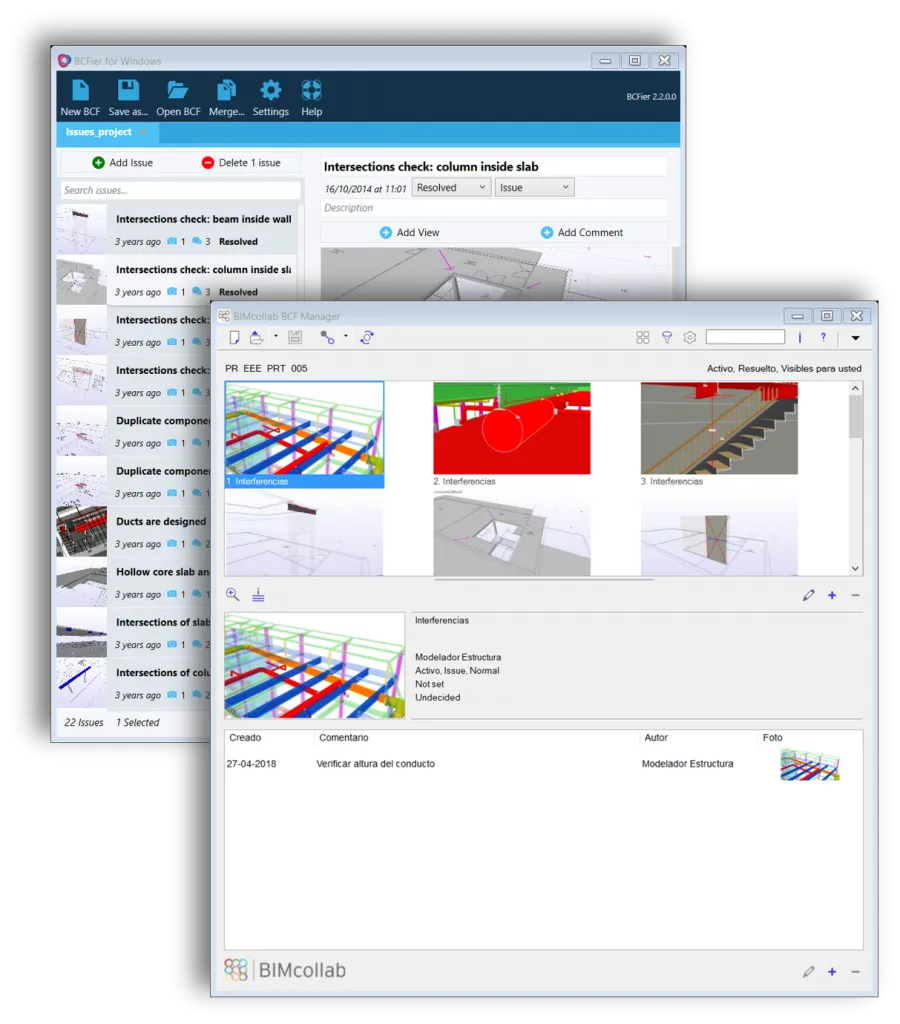
- BCFier is an open-source program with a desktop version that can open and create BCFs, as well as plugins for Autodesk Revit versions 2015 to 2018 (as of today).
- BIMCollab. Without doubt, in my view, the most powerful. It has a desktop version and a web version for cloud-based management. It also offers a wide range of «BCF Managers», plugins for the main BIM modelling and coordination software. This way, each party logs into the project with a username and password from the BCF Manager in their software or through the web, and has the project's comments and issues at hand, keeping communication with the rest of the team flowing in real time.
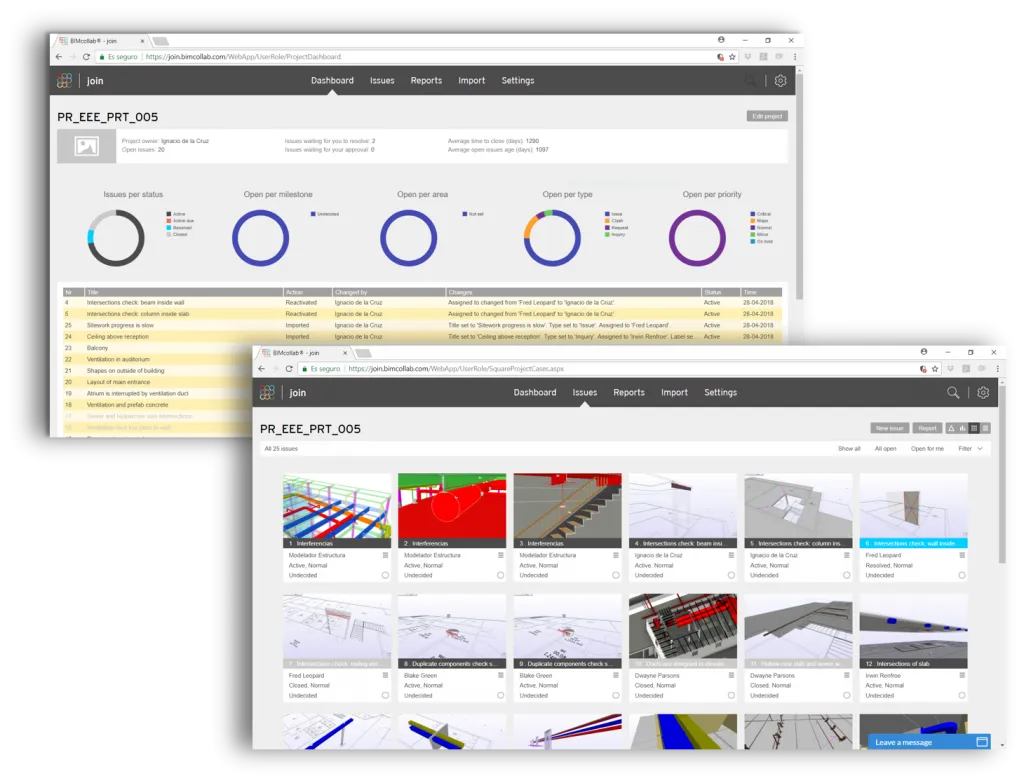
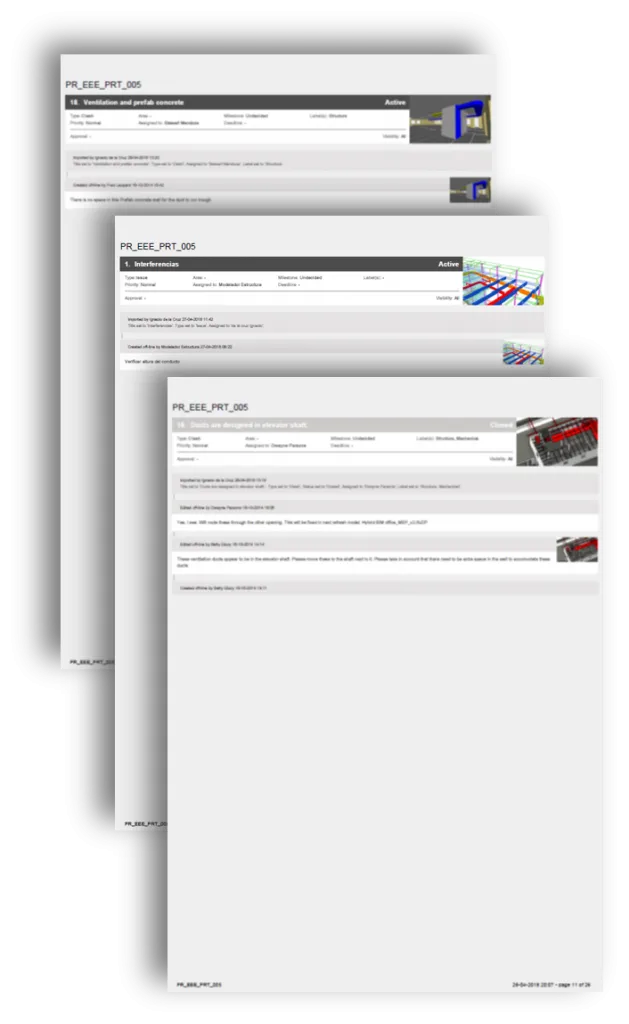
Sharing a BCF and generating reports
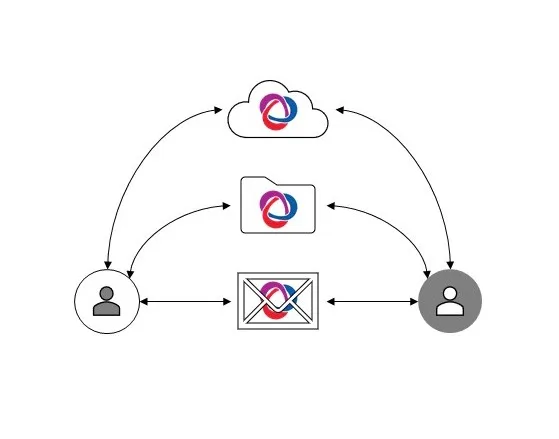
How the BCF file is shared will depend on the project but, in general, we can send it as an attachment, share it from a common repository or use solutions such as BIMcollab, which host the BCF file and sync with desktop software. From these files we can generate reports, clash reports for example, that are a little more elaborate than what we usually see on projects today (yes, I am talking about images with a black background and green and red elements). To generate these reports we can use BCFReader, a tool as simple as it is practical, or its web version, slothbcf. BIMCollab and bimsync, for their part, let us generate reports very quickly from the web browser.
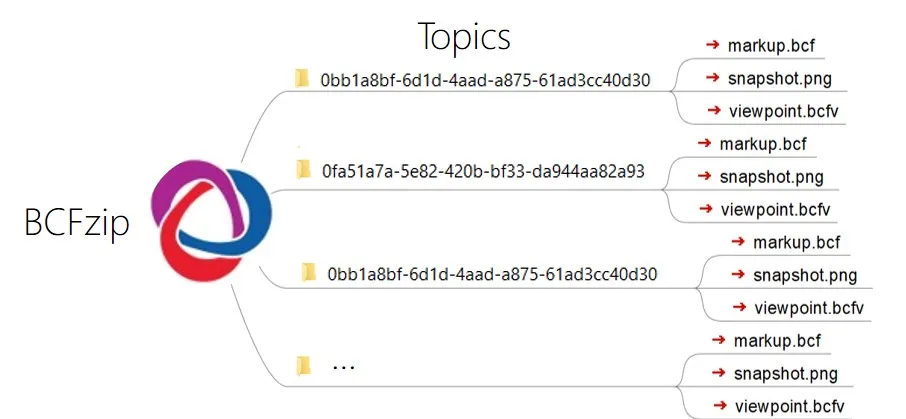
Structure of a BCF
On the more technical side, the format actually has a bcfzip extension and contains one folder for each issue, formally called a «topic».
Inside each «topic» we find three types of file:
- markup.bcf, which stores all the data relating to the topic: name, labels, comments, assignment, status…
- viewpoint.bcfv, which provides the components, camera position, display style, section planes, etc.
- snapshot.png, which is the reference image for the issue.
In short, the BCF collaboration format substantially speeds up and improves communication based on BIM models. We already have the models: let's use them to make communication and collaboration more agile, and we will achieve the goal of all this, raising the quality of the sector.